mirror of
https://github.com/OpenBMB/MiniCPM-V.git
synced 2026-02-05 02:09:20 +08:00

2.1 KiB
2.1 KiB
about xinference
xinference is a unified inference platform that provides a unified interface for different inference engines. It supports LLM, text generation, image generation, and more.but it's not bigger than swift too much.
xinference install
pip install "xinference[all]"
quick start
- start xinference
xinference
- start the web ui.
- Search for "MiniCPM-Llama3-V-2_5" in the search box. alt text
- find and click the MiniCPM-Llama3-V-2_5 button.
- follow the config and launch the model.
Model engine : Transformers
model format : pytorch
Model size   : 8
quantization : none
N-GPU        : auto
Replica      : 1
- after first click the launch button,xinference will download the model from huggingface. we should click the webui button.

- upload the image and chatting with the MiniCPM-Llama3-V-2_5

local MiniCPM-Llama3-V-2_5 launch
- start xinference
xinference
- start the web ui.
- To register a new model, follow these steps: the settings highlighted in red are fixed and cannot be changed, whereas others are customizable according to your needs. Complete the process by clicking the 'Register Model' button.
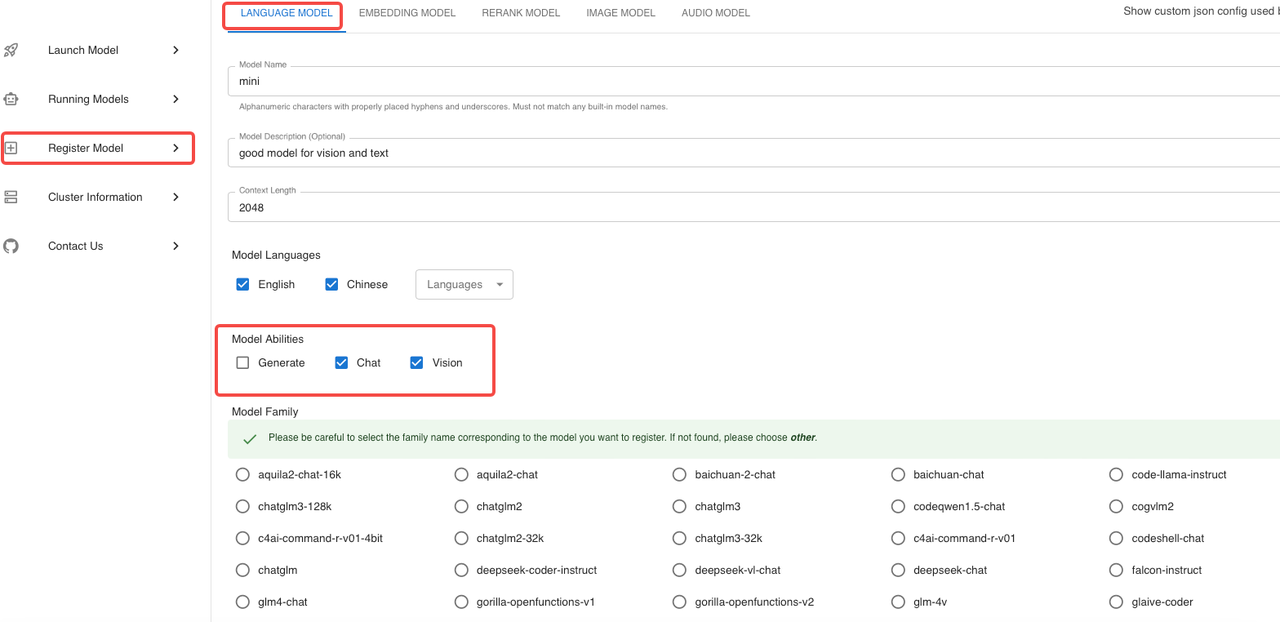
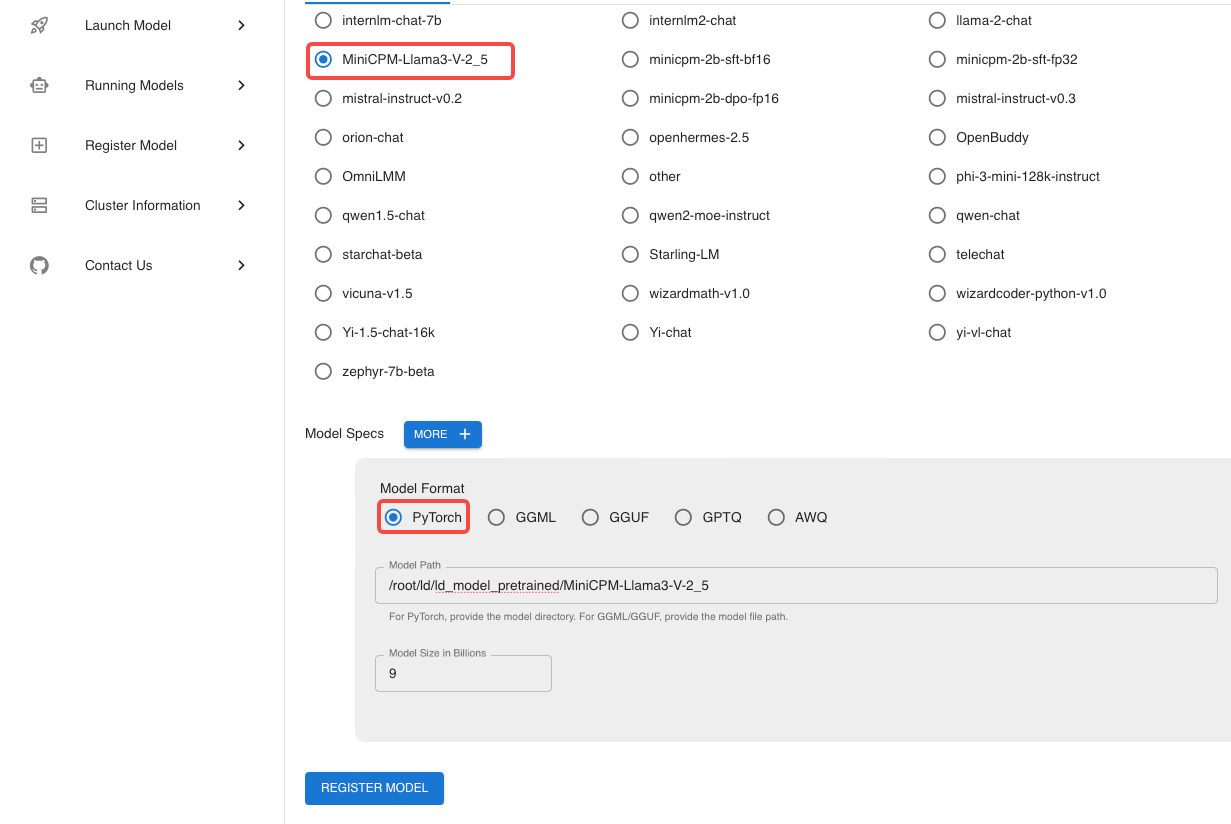
- After completing the model registration, proceed to 'Custom Models' and locate the model you just registered.
- follow the config and launch the model.


Model engine : Transformers
model format : pytorch
Model size   : 8
quantization : none
N-GPU        : auto
Replica      : 1
- after first click the launch button,xinference will download the model from huggingface. we should click the chat button.
- upload the image and chatting with the MiniCPM-Llama3-V-2_5
FAQ
- Why can't the sixth step open the WebUI? maybe your firewall or mac os to prevent the web to open.